

- Whether you are building a one-time payment, an MIT (Merchant-Initiated Transaction) authorization, or a recurring subscription, your server calls the corresponding create endpoint.
- The API response returns both
payUrlandclientToken—you simply choose whether to redirect the customer to HaiPay’s hosted checkout viapayUrl(Checkout Mode) or mount the embedded component on your own page viaclientToken(Component Mode).
Checkout Mode
Deploy in checkout mode for quick verification. Use the returned
payUrl to redirect users to a HaiPay-hosted payment page with almost zero frontend code.Component Mode
Deploy in component mode for optimal build efficiency. Use the returned
clientToken to mount a pre-built payment UI directly inside your page.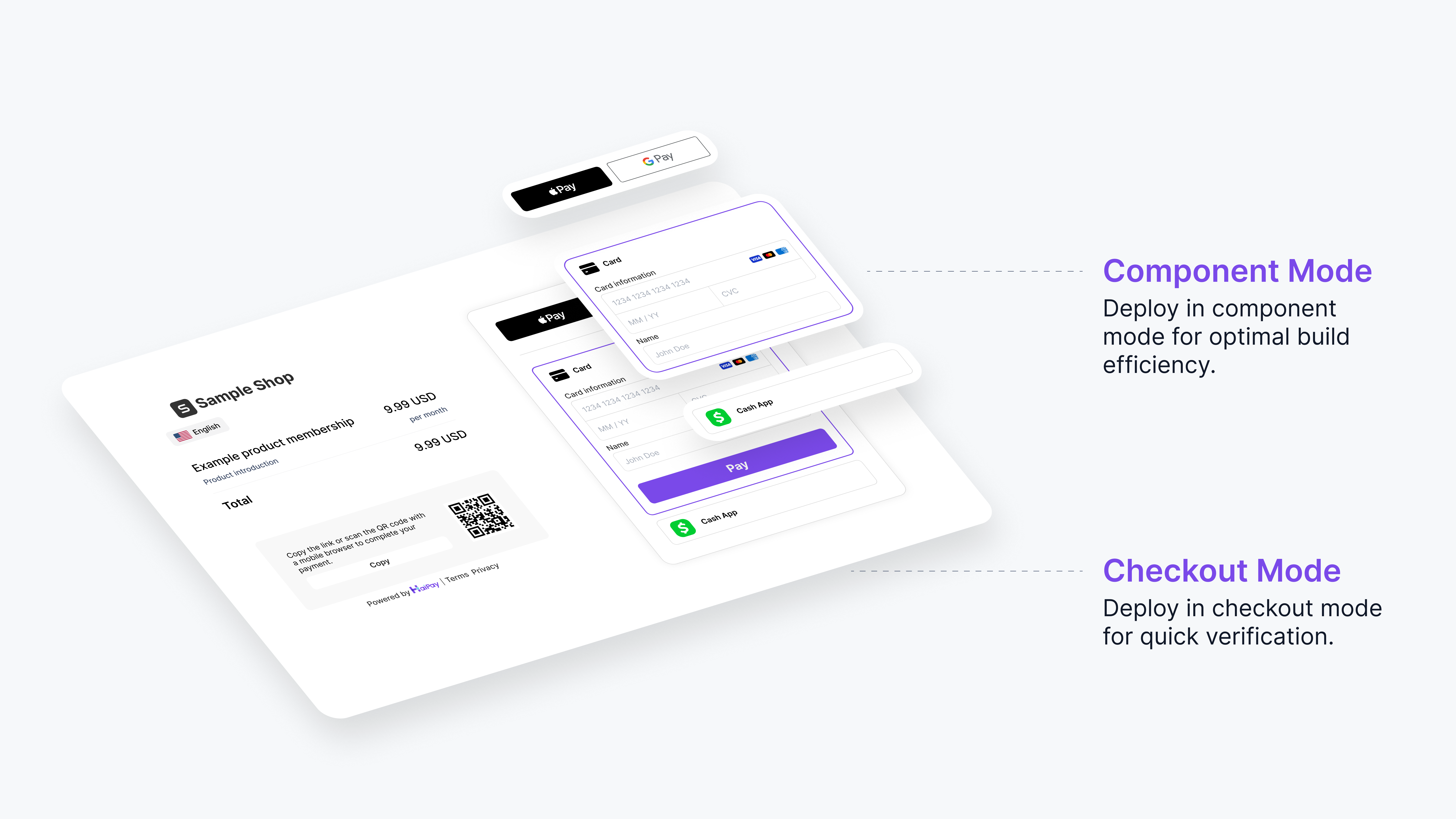
Visual and architectural comparison between Component Mode and Checkout Mode
Comparison & Selection Matrix
Following industry standards for checkout experience and PCI compliance scope, here is how the two integration modes compare:Dynamically Controlling Displayed Methods & Order (paymentMethods vs. inBankCode)
When calling Card Collection (/usd/collect/apply), MIT Apply (/usd/mit/apply), or Subscription Apply (/subscription/apply), you can control whether a single payment method or a dynamically ordered list is presented:
Important Rules:
inBankCodeandpaymentMethodsare mutually exclusive: wheninBankCodeis omitted,paymentMethodsis required, and vice versa.- Dynamic filtering and top-to-bottom ordering via
paymentMethodsalso applies to the Global Cashier (/global/cashier/collect/apply).
How to Choose?
- When to Choose Checkout Mode
- When to Choose Component Mode
- Quick verification & fastest launch: Launch a complete payment flow in hours with virtually zero frontend work.
- Link-based or cross-channel scenarios: Ideal for mobile H5, email invoices, chat links, or lightweight apps.
- Zero UI maintenance: Let HaiPay handle responsive layout, browser compatibility, and security isolation.