

General
After logging into HaiPay, there are no other functions besides the homepage.
After logging into HaiPay, there are no other functions besides the homepage.
Error when triggering payment, error message: No permission to pay for products, please contact the administrator.
Error when triggering payment, error message: No permission to pay for products, please contact the administrator.
- The client’s product configuration is incorrect.
- The payment method requested by the client is incorrect.
Error when triggering payment, response body:
Error when triggering payment, response body:
Customer payment error, authentication failure message.
Customer payment error, authentication failure message.
What is the phone number format?
What is the phone number format?
- Taiwan: Starts with 09, total of 10 digits. Example: 09XX XXX XXX
- Korea: Starts with 01X, total of 10 digits. Example: 010 XXXX XXXX.
- Belgium: Starts with 04, total of 10 digits. Example: 04XX XX XX XX.
- Austria: Starts with 06, total of 9 digits. Example: 0664 XXXXXXX.
- Germany: Starts with 01, total of 11 digits. Example: 0151 XXXXXXXX.
- Poland: Starts with 5, 6, 7, 8, 9, total of 9 digits. Example: 5XX XXX XXX.
- Indonesia: Starts with 08, total of 10 digits. Example: 081X XXXX XXXX.
- Philippines: Starts with 09, total of 11 digits. Example: 09XX XXX XXXX.
- Singapore: Starts with 8 or 9, total of 8 digits. Example: 8XXX XXXX or 9XXX XXXX.
- Vietnam: Starts with 09, total of 10 digits. Example: 09XX XXX XXX.
- Thailand: Starts with 08, total of 10 digits. Example: 08XX XXX XXX.
- Malaysia: Starts with 01, total of 10 digits. Example: 01X XXX XXXX.
- Brazil: Starts with 9, total of 11 digits. Example: 9XXXX XXXX.
- Russia: Starts with 9, total of 10 digits. Example: 9XX XXX XX XX.
- Japan: Starts with 0, total of 11 digits. Example: 0XX XXXX XXXX.
- Egypt: Starts with 01, total of 11 digits. Example: 01X XXXX XXXX.
- Bangladesh: Starts with 01, the third position is 3-9,with a total of 11 digits. Example: 013 XXXX XXXX.
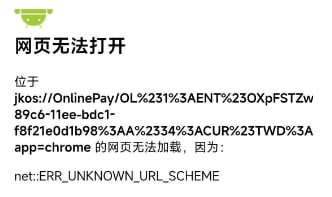
Some payment methods fail to trigger the app, how to handle this?
Some payment methods fail to trigger the app, how to handle this?
Taiwan
Are there any issues with convenience store or ATM payments? Low success rate.
Are there any issues with convenience store or ATM payments? Low success rate.
Brazil
What should be filled in the Cash Source column in CDD?
What should be filled in the Cash Source column in CDD?
PIX collection order failed, error message: FAILED-invalid cpf or cnpj.
PIX collection order failed, error message: FAILED-invalid cpf or cnpj.
ACH / ECASHAPP
When testing the disbursement API, is the name and account number required to be real accounts?
When testing the disbursement API, is the name and account number required to be real accounts?
Merchant Payout & Funding
What is the Recharge process?
What is the Recharge process?
- After logging into the dashboard, go to “Financial Mgmt - Recharge” to recharge in USD.
- Enter the recharge amount and upload the proof of successful transfer.
What should be filled in the Cash Source column in CDD?
What should be filled in the Cash Source column in CDD?
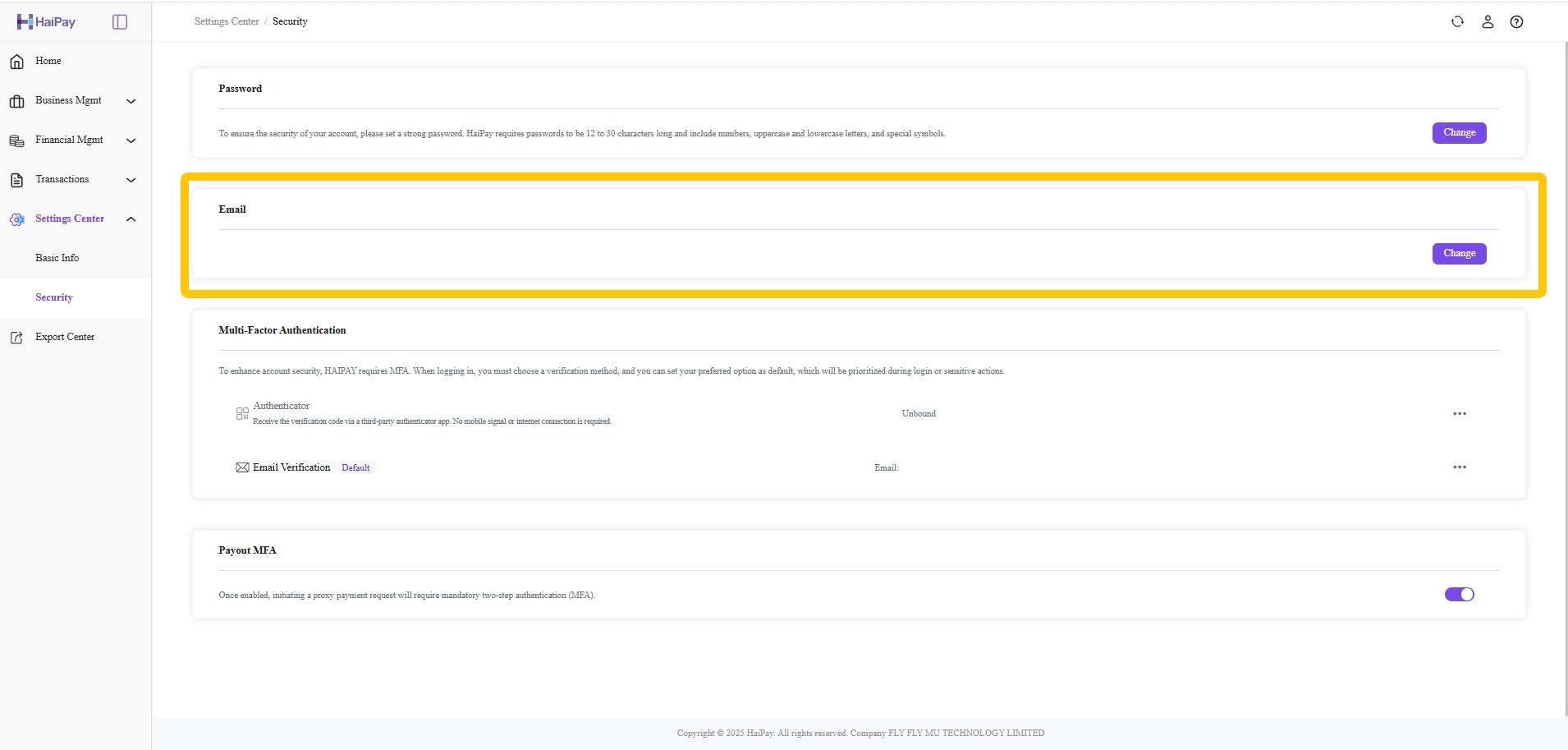
How to bind or change the login email?
How to bind or change the login email?
How to initiate a single payout? What are the precautions?
How to initiate a single payout? What are the precautions?
- For your first manual payout operation, it is recommended to start with a small test amount. After you are familiar with the operation, then proceed with other amounts.
- Currency selection: make sure you select the correct currency for the payout.
- Choose the correct account type according to the recipient’s actual account information, such as bank account or e-wallet.
- Please make sure the recipient’s account number is entered correctly. Any error may cause the funds to be sent to a wrong account, leading to unnecessary trouble and loss.
- Enter the exact payout amount you wish to send, and make sure it does not exceed your account balance or any configured limits.
- Before submitting the payout request, double-check that all the information filled in is correct.
- Keep your login credentials and email verification codes confidential and do not share them with others to prevent unauthorized access to your account.
How to initiate batch payout? What are the precautions?
How to initiate batch payout? What are the precautions?
- Click “Download Template” to download the payout template and fill in the recipient account information according to the template requirements.
- For your first batch payout, you can start with a single order with a small amount to get familiar with the process before submitting more orders.
- After uploading the template, if there are any errors in the data, you can download the file with error messages, correct the data according to the prompts, and upload it again.
- After a successful upload, pay attention to the order status to avoid submitting duplicate payouts.
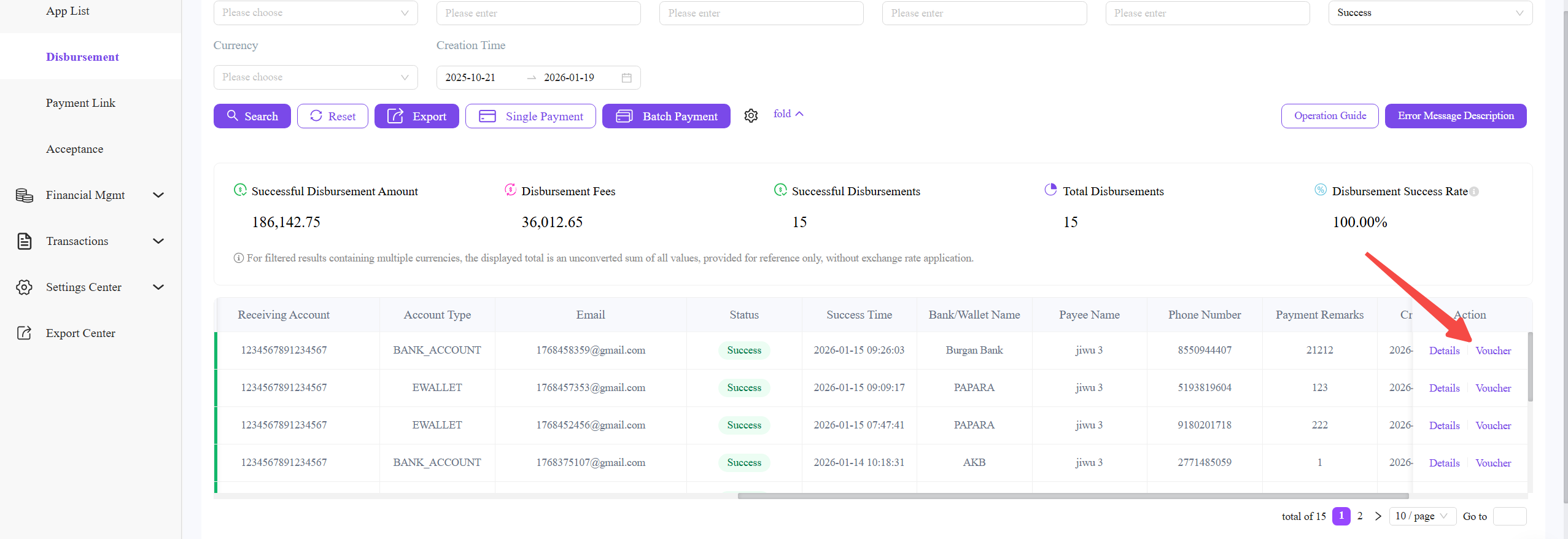
How to download the payout (remittance) voucher after a successful payout?
How to download the payout (remittance) voucher after a successful payout?
Click “Voucher” to obtain or download the proof of successful payout.\
Where can I view the Balance details and fees?
Where can I view the Balance details and fees?
The system supports exporting data to Excel files to facilitate reconciliation and record keeping.